Freeview Streaming TV in New Zealand: How to Watch Live TV Without an Aerial
Freeview Streaming TV gives New Zealand viewers another way to watch live free-to-air channels on supported Smart TVs without installing an aerial or satellite dish. This guide explains how it works, which devices to check, what channels to expect, and how to fix common buffering or missing-app problems.
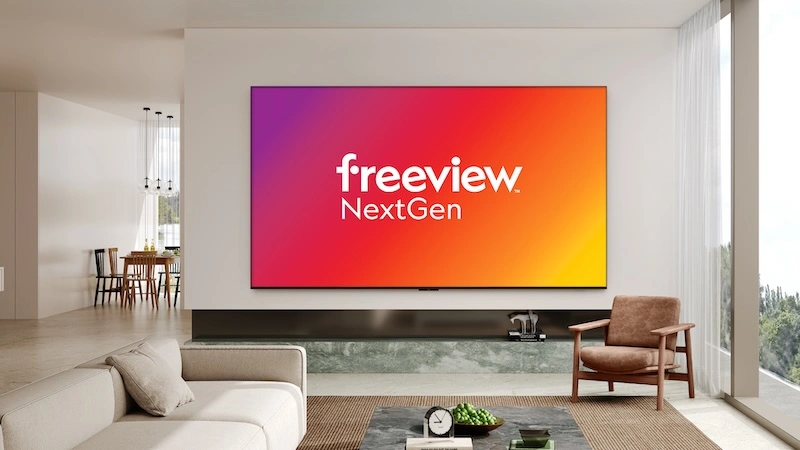
Quick answer: In New Zealand, Freeview can be watched in three main ways: tuning channels with a UHF aerial, tuning through satellite, or using the Freeview Streaming TV app on supported Smart TVs and devices. For homes without an aerial or dish, the streaming app is the easiest route, but you still need a supported device and stable broadband.
What is Freeview Streaming TV?
Freeview is New Zealand's free-to-air TV platform. Traditionally, viewers used a UHF aerial or satellite dish to tune channels directly on the TV. Freeview Streaming TV is different: it uses your home broadband connection and a compatible Smart TV or supported device to stream live channels through the Freeview app.
This matters for renters, apartments, small homes, sleepouts and new builds where an aerial is missing, damaged or difficult to install. Instead of paying for satellite work or running a cable through the house, a supported Smart TV can use the Freeview Streaming TV app over Wi-Fi or Ethernet.
It is still important to understand the limits. Streaming depends on your broadband and device. If your Wi-Fi is weak, the app can buffer. If your TV is too old, the app may not be available. If you want recording, a tuned aerial or satellite setup may still be better.
Freeview without an aerial: when it makes sense
A streaming setup is useful when you want live free-to-air TV in a room that does not have a wall aerial socket. It also suits people who mostly watch TVNZ+, ThreeNow, Sky Sport Now or other apps and simply want an easy live TV option beside them.
- You rent and cannot install an aerial.
- Your aerial socket is in the wrong room.
- You have a supported Smart TV but no antenna cable.
- You want a clean setup for a bedroom, office, garage or sleepout.
- You are comparing free live TV options before paying for sport or premium apps.
For a wider app comparison, read our best streaming apps for New Zealand Smart TV users. For live sport planning, use the New Zealand live sports viewing guide.
Freeview streaming vs aerial vs satellite
The best setup depends on your home and viewing habits. Streaming is convenient, but aerial and satellite still have advantages for reliability, data usage and recording.
| Setup type | Best for | Main advantage | Main limit |
|---|---|---|---|
| Freeview Streaming TV app | Supported Smart TVs without an aerial | No antenna or satellite dish required | Needs stable broadband and supported device |
| UHF aerial | Homes in UHF coverage areas | Uses no broadband data and can be very stable | Requires aerial signal and TV tuning |
| Satellite dish | Areas where UHF coverage is limited | Works in many rural areas with the right equipment | May need satellite box or compatible dual-tuner TV |
| Freeview Recorder | People who want to record live TV | Can record tuned live channels | Recording is not available through the streaming app |
Freeview says streaming is one of the ways to get live TV and that the Freeview Streaming TV app can be used on Smart TVs with no antenna required. It also notes that recording is only available when channels are tuned through an aerial or satellite dish, not while streaming with the app.
Looking for a simpler New Zealand streaming setup?
Compare the available Ultim4K plans and choose the setup that fits your device and viewing needs.
Supported devices: check this before you start
The biggest mistake is assuming every Smart TV can run Freeview Streaming TV. Freeview lists support for many modern Smart TVs, but model year and operating system matter. If the app is not in the TV app store, the TV may be too old or unsupported.
| Device group | What Freeview currently lists | Setup tip |
|---|---|---|
| Samsung Smart TV | 2018+ Samsung Smart TVs | Update TV software before searching the app store |
| LG Smart TV | 2018+ LG Smart TVs | Check webOS updates and app availability |
| Panasonic Smart TV | 2017+ Panasonic Smart TVs | Restart after software updates if the app is missing |
| Hisense TV | Hisense TVs listed by Freeview | Confirm model support before relying on streaming |
| Android TV | Sony, TCL, Philips, Panasonic, Veon and JVC Android TVs running Android OS 8.0+ | Update Google Play services and system software |
| SmartVU | SmartVU dongles and SmartVU+ boxes | Useful when an older TV cannot run the app directly |
If you also use ThreeNow, check our ThreeNow Smart TV, Fire TV and Android TV fix guide. Many app problems come from the same causes: old firmware, weak Wi-Fi, full storage or unsupported device versions.
How to set up Freeview Streaming TV
- Confirm your TV or device is supported. Check the model year, operating system and app store availability.
- Connect the device to broadband. Ethernet is best for a main lounge TV. Strong 5 GHz Wi-Fi is usually better than weak 2.4 GHz Wi-Fi nearby.
- Update the TV software. Do this before installing or opening the app.
- Open the TV app store. Search for the official Freeview Streaming TV app.
- Install or open the app. On some supported SmartVU products, the app may already be installed.
- Test several channels. Try a news channel, an entertainment channel and a live event if available.
- Save the setup. Make sure the TV launches the app easily from the home screen.
If the app opens but the picture freezes, jump to the buffering section below before reinstalling everything.
Looking for a simpler New Zealand streaming setup?
Compare the available Ultim4K plans and choose the setup that fits your device and viewing needs.

What channels can you expect?
Freeview's channel list includes major New Zealand free-to-air brands and lets users filter channels by platform such as streaming, aerial or satellite. Availability can change, and not every channel is available in every setup method. Always check the official Freeview channel page if one specific channel matters to you.
Common names people look for include TVNZ 1, TVNZ 2, Duke, Three, Bravo, Whakaata Māori, Sky Open, Rush, RNZ National and RNZ Concert. Some channels and plus-one versions may depend on tuning method and platform availability.
If you mainly want TVNZ live and on-demand content, read the TVNZ+ Smart TV setup guide. If you are following World Cup coverage, the TVNZ+ Event Pass troubleshooting guide can help with account and playback issues.
Freeview Streaming TV buffering: what to check first
Streaming live TV needs stable broadband. Speed is important, but stability matters more. A speed test beside the router does not prove that the TV in the lounge, bedroom or garage has a clean connection.
- Restart the TV and router before a major event.
- Use Ethernet where possible.
- Move mesh Wi-Fi nodes into open spaces, not behind cabinets.
- Pause console downloads, cloud backups and large app updates.
- Keep the TV software updated.
- Test another app to see if the issue is Freeview-only or whole-home Wi-Fi.
- Check Freeview network status if several channels fail at once.
For a deeper home network checklist, use our New Zealand fibre and Wi-Fi buffering fix guide.
Why the app may be missing from your TV
If you search the app store and cannot find Freeview Streaming TV, do not immediately factory reset the television. First check whether the exact model is supported. A TV can look modern and still have an older app platform that no longer receives newer streaming apps.
Try these steps:
- Update the TV software.
- Restart the TV from the wall for one minute.
- Check the app store region is New Zealand.
- Search for “Freeview” rather than a long phrase.
- Check whether a SmartVU device is a better option for that room.
If your old TV is only used for a spare room, an external supported device can be simpler than trying to keep an outdated built-in TV app alive.
When an aerial or satellite dish is still better
Streaming is not always the best answer. If your household watches free-to-air TV every day, wants recording, has weak broadband or lives in a busy home with many devices, a tuned aerial or satellite setup may give a steadier experience. Freeview also explains that aerial or satellite TV uses no broadband data, which can matter if your connection is limited or shared.
Use streaming when convenience is the priority. Use aerial or satellite when reliability, recording and zero data use are more important.
Safety and legal viewing notes
Use official app stores, official Freeview pages and recognised device support pages when setting up live TV. Avoid unknown app files, unofficial APK downloads and random links promising premium channels. For New Zealand households, official apps such as Freeview, TVNZ+, ThreeNow and Sky Sport Now are safer and easier to troubleshoot because the support pages match the app version and device rules.
For sport-specific viewing, our Sky Sport Now Smart TV and Chromecast fix guide explains how to separate device problems from account or casting issues.
Official Freeview resources
- Freeview: Get Freeview
- Freeview: How do I get Freeview Streaming TV?
- Freeview: Channels
- Freeview: About Freeview
Frequently asked questions
Yes. Freeview says the Freeview Streaming TV app can be used on supported Smart TVs and selected devices to stream live TV without an aerial or satellite dish. Device support still matters.
Freeview lists support for many Smart TVs, including 2018+ Samsung and LG TVs, 2017+ Panasonic TVs, Hisense TVs, several Android TV brands, and SmartVU devices.
The Freeview Streaming TV app is designed as a free live TV option, but requirements can vary by app version and device. Check the current setup screen on your TV.
Freeview says recording is available when channels are tuned through an aerial or satellite dish using a Freeview Recorder, and is not available while streaming with the Freeview app.
Common causes include weak Wi-Fi, overloaded routers, old Smart TV hardware, peak household usage, app cache problems or temporary service issues.
Channel availability can vary by tuning method and device. Check the official Freeview channels page and filter by streaming before relying on a specific channel.
An aerial or satellite setup can be useful if you want zero broadband data use, more traditional tuning options or recording. Streaming is useful when you do not have an aerial or dish.
Use a supported SmartVU device or another official supported option instead of resetting a TV that cannot run the current Freeview Streaming TV app.
Need help choosing a setup?
Tell Ultim4K your TV model, your internet type, whether you have an aerial socket, and which New Zealand apps you want to use.